A button on every video
Every quality from 4K down, audio only, subtitles, and clips cut to the exact frame. Works on about 1,800 video sites and on any page that plays a video file or stream.
 Snag
Snag
Hover over a video and a Download button appears on it. Pick a quality and Snag saves it, properly named, at full speed. Whole playlists and seasons too, and every big download from your browser.
Free and open source, for Windows, macOS and Linux.
Every quality from 4K down, audio only, subtitles, and clips cut to the exact frame. Works on about 1,800 video sites and on any page that plays a video file or stream.
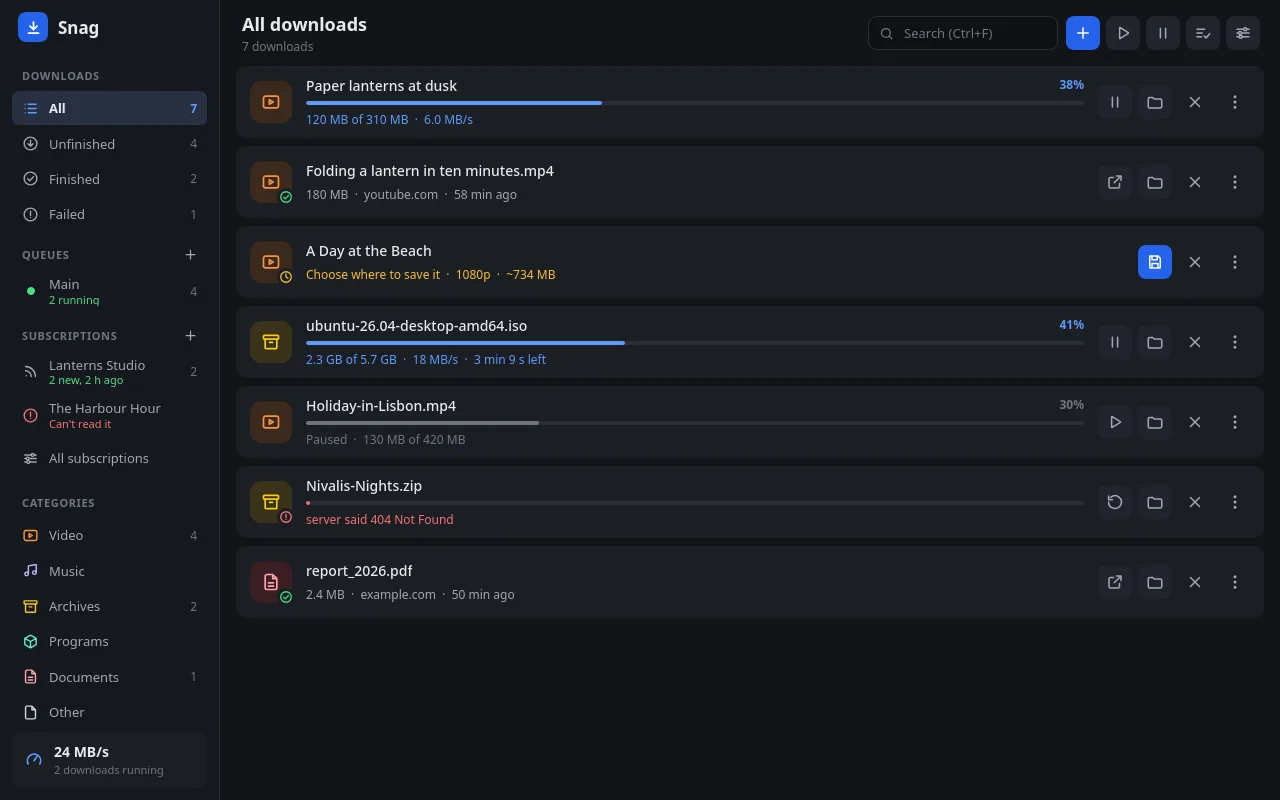
Several connections per file, re-split as parts finish. Pause and resume any time, even after a restart or a dropped connection.
Archives, programs, videos and documents go to Snag automatically. If Snag can't take one, the browser gets it back.
Right-click a page to grab its links, or paste a list. Snag sorts them, finds their real names and sizes, and downloads the ones you tick.
Follow a channel, a playlist or a podcast. Snag checks for new ones every few hours and downloads them the way you chose.
When the page or the server says what a file's checksum should be, Snag offers to check it, and to download it again if it doesn't match.
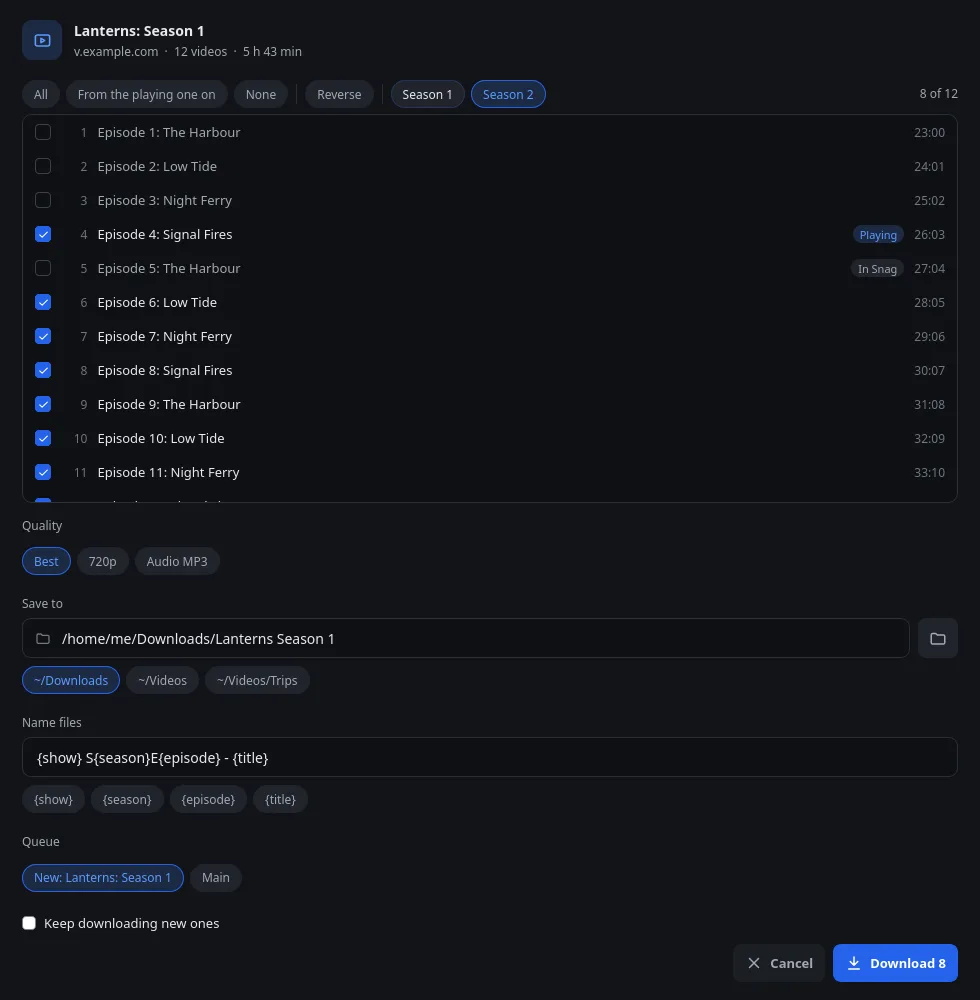
Open a playlist, a channel, an album or a season, tick what you want, and choose the
quality, the folder and how files are named. Episodes are saved as
Show S01E03 - Title, in their own queue.
Scan a QR code once, and your phone can send links to Snag and follow your downloads over your home network. No app to install, no account.

Snag runs entirely on your computer, and the extension talks only to the Snag app on the same machine. Once a day the app reads a small signed file from this website to learn of new releases. It sends nothing about you or your downloads.
The latest release, from GitHub.
Start Snag once and it walks you through adding its extension to Chrome, Edge, Brave, Vivaldi, Opera or Firefox. The Windows and macOS builds aren't code-signed yet, so SmartScreen or Gatekeeper asks before the first start. Checksums